One image,
a carousel that flows.
Slids splits one long image into a carousel that flows from slide to slide as people swipe on Instagram. Place your photos, videos, tickets and note papers, save, and post.
No account needed · Photos and videos are processed on your device
What is Slids?
What it is
- Splits one long image into a seamless carousel
- Design with photos, videos, tickets and note papers
- No account, works on your device
What it isn't
- Not Instagram and not part of Instagram
- Does not post for you: you save the slides and upload them
- Not a cloud service that uploads your photos and videos
Who it's for: For anyone who wants carousels that flow as people swipe on Instagram.
Designs that flow as you swipe
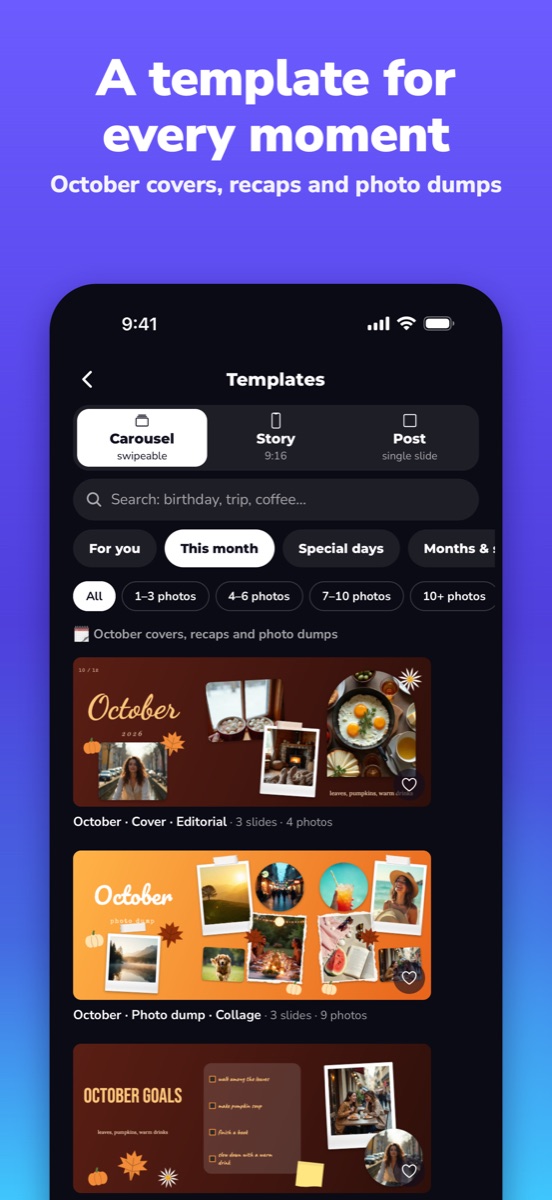
Ready-made templates
Templates for trips, birthdays and photo dumps; change anything.
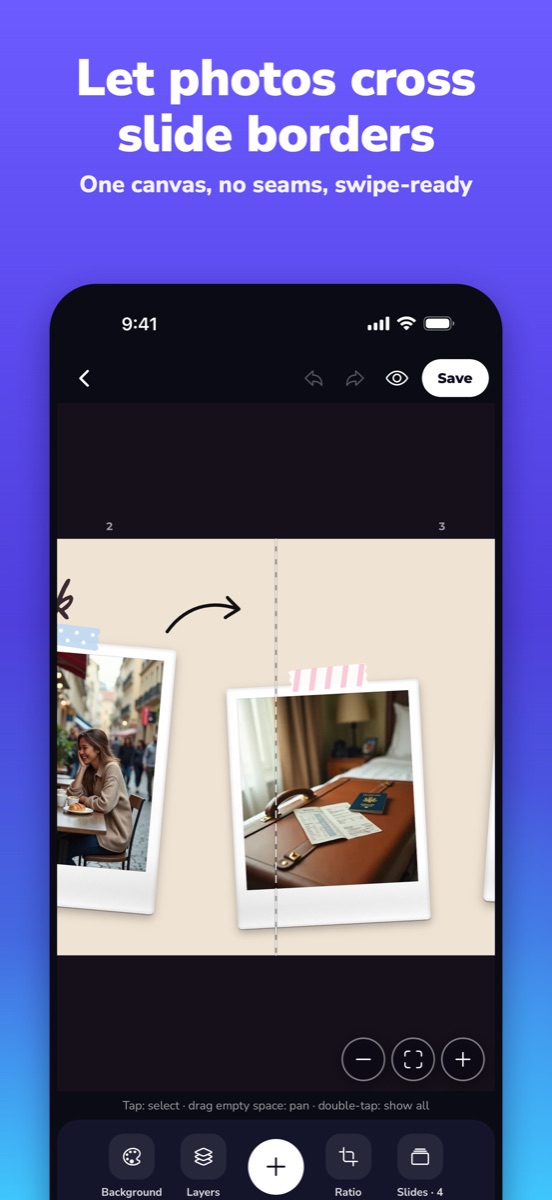
Flow across slides
One long canvas is cut cleanly at Instagram's slide borders.
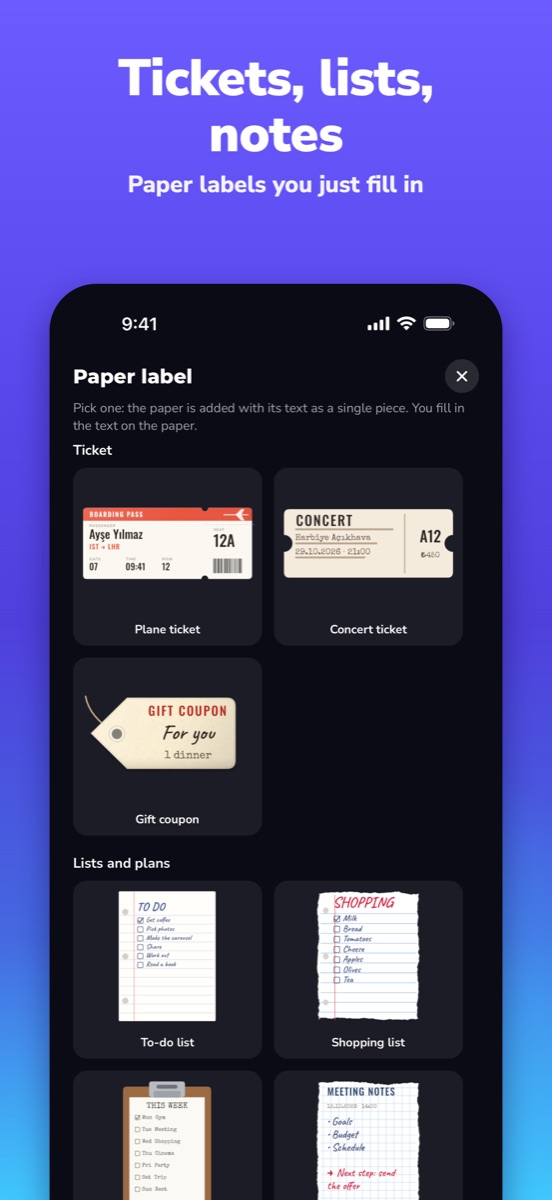
Paper label gallery
Tickets, lists, notes and cards, plus to-do and shopping lists with check boxes.
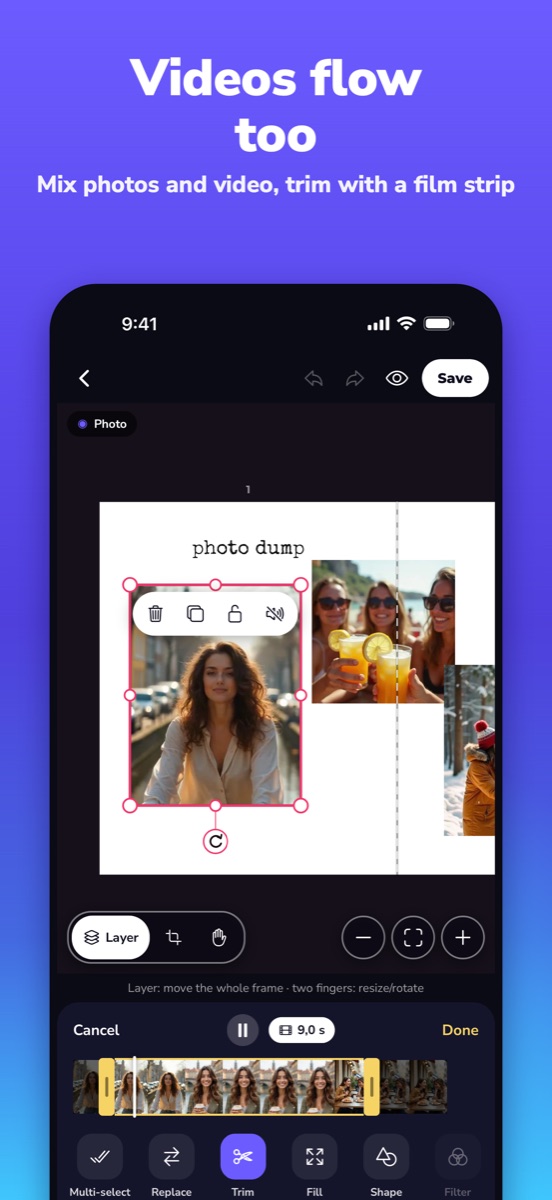
Videos flow too
Place a gallery video like a photo, trim it, turn the sound on; slides with video are saved as video.
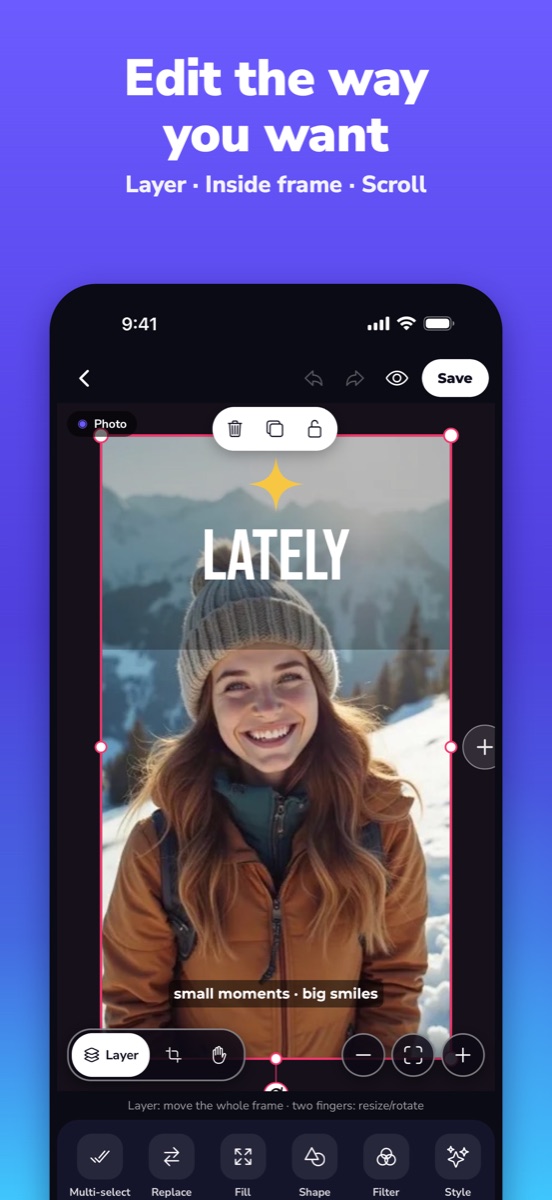
Easy editing
Crop, resize, rotate; group several items and move them together.
And more
Works on your device
No account; photos and videos are processed on the device and not uploaded.
Take a look
A carousel in three steps
No sign-up, no waiting.
Pick a template
Open a ready-made template or start from a blank canvas.
Place things
Drag photos, videos and paper labels across slide borders.
Save and post
Slides are saved one by one; upload them in order and the design flows.
Pricing
Pricing
- Downloading costs nothing and needs no account
- Which features belong to which plan is stated in the app and on the App Store page
- If a subscription applies, price and period are shown before you buy; cancel in your Apple or Google account
Current prices are shown on the store page.
Questions you might have
Do I need an account?
No. Slids does not ask for one.
Are my photos and videos uploaded?
No. They are processed on your device; the app reaches your library only through the system picker and asks for add-only permission to save.
Is there an Android version?
Yes, it is also on Google Play.
Can I use videos?
Yes: place a video like a photo, trim it, and slides with video are saved as video.

Slids is on the App Store
For iPhone and iPad, and on Google Play for Android.
On the App StoreMore of our apps
 Tasvo101 Okey and Okey: offline, with friends
 PuzletDaily logic puzzles, offline
 KartvoBatak and Pisti: offline, with friends
 InkvoVoice to text notes
 KronvoDaily reminders
 MoonlullSleep sounds & bedtime tales
 RoomyStorage cleaner
 VakitPrayer times & Qibla
 TombavoTombala: with friends, offline
 RulettoRoulette with virtual chips and a table wheel
 CutlapCabinet design and cut lists
 Okul TakipSchool notices in one calendar
 BakshFace & selfie editor
 BlanklyLearn English by filling blanks