Storage full?
Free up space in a few taps.
Roomy finds similar photos, screenshots and space-hogging videos, picks the best shot, and deletes the rest only when you say so.
Your photos never go to a server · Deleted items can be restored for 30 days
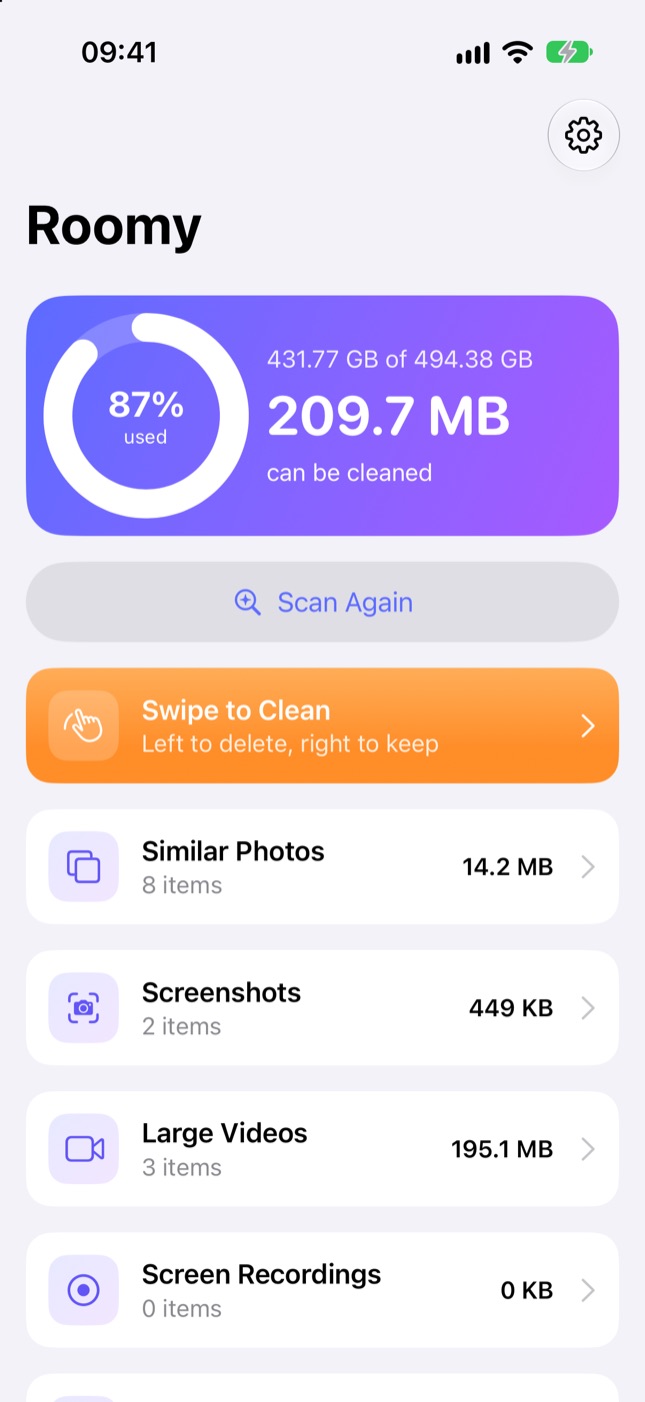
Scan, select, clean
See how much space you can free in the first minute.
Scan
One tap. Scanning runs in the background and picks up where it left off, even if you close the app.
Select
In similar photos, the best one is already selected for you. Drag your finger to select many, or swipe card by card.
Free up space
Deleted items go to “Recently Deleted” first. Roomy shows you how to empty that too.
The fastest way to free up space
Similar and duplicate photos
Bursts and duplicates are grouped; the best shot is picked automatically.
Screenshots
See the hundreds of screenshots you forgot about, all in one place.
Large videos and compression
Find the biggest videos, and save a much smaller copy if you like.
Swipe to clean
Swipe right to keep, left to delete. Or drag to select many, just like in Photos.
Duplicate contacts
Merge two entries for the same person with one tap.
System Data guide
Why “System Data” grew and how to shrink it, step by step.
Take a look
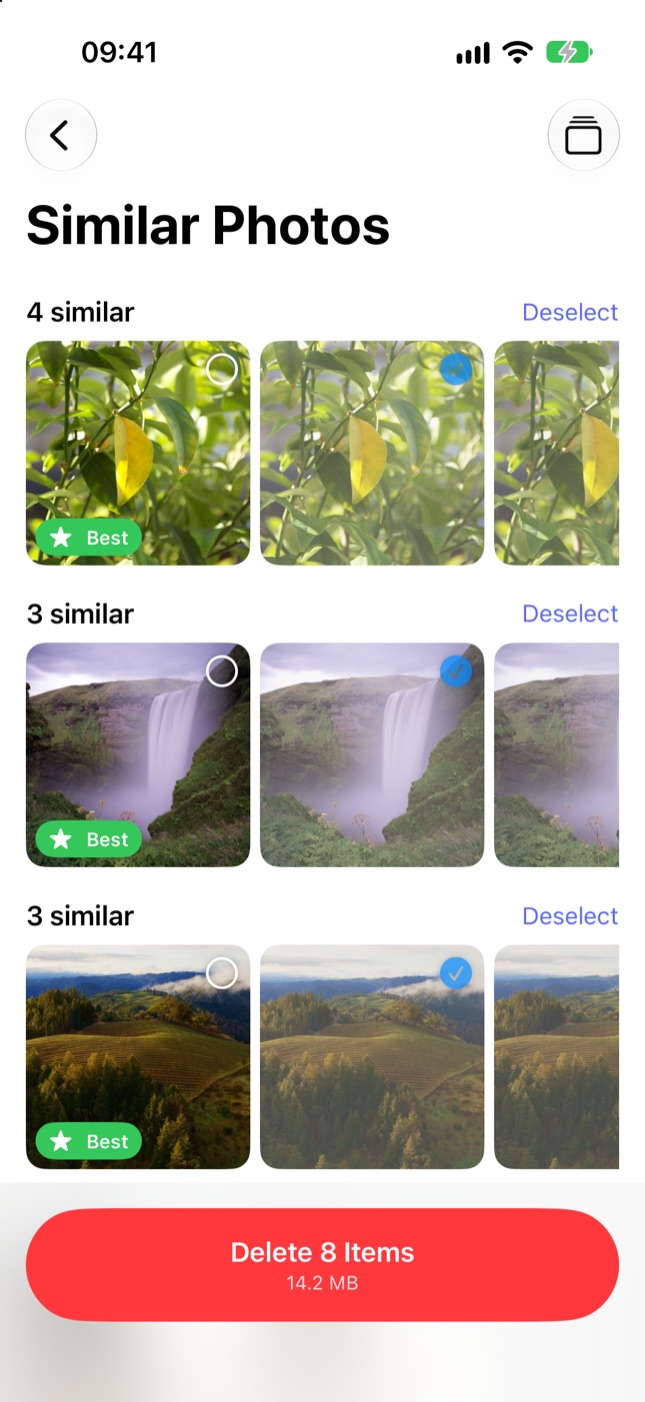
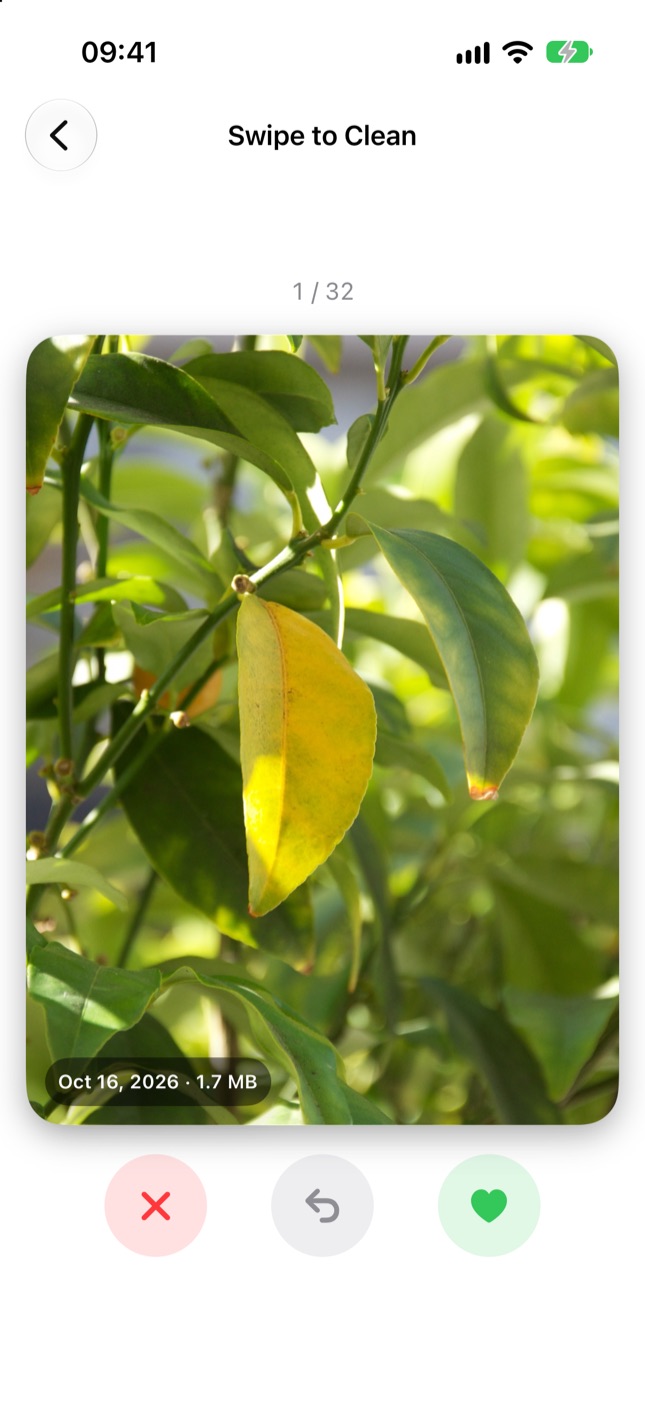
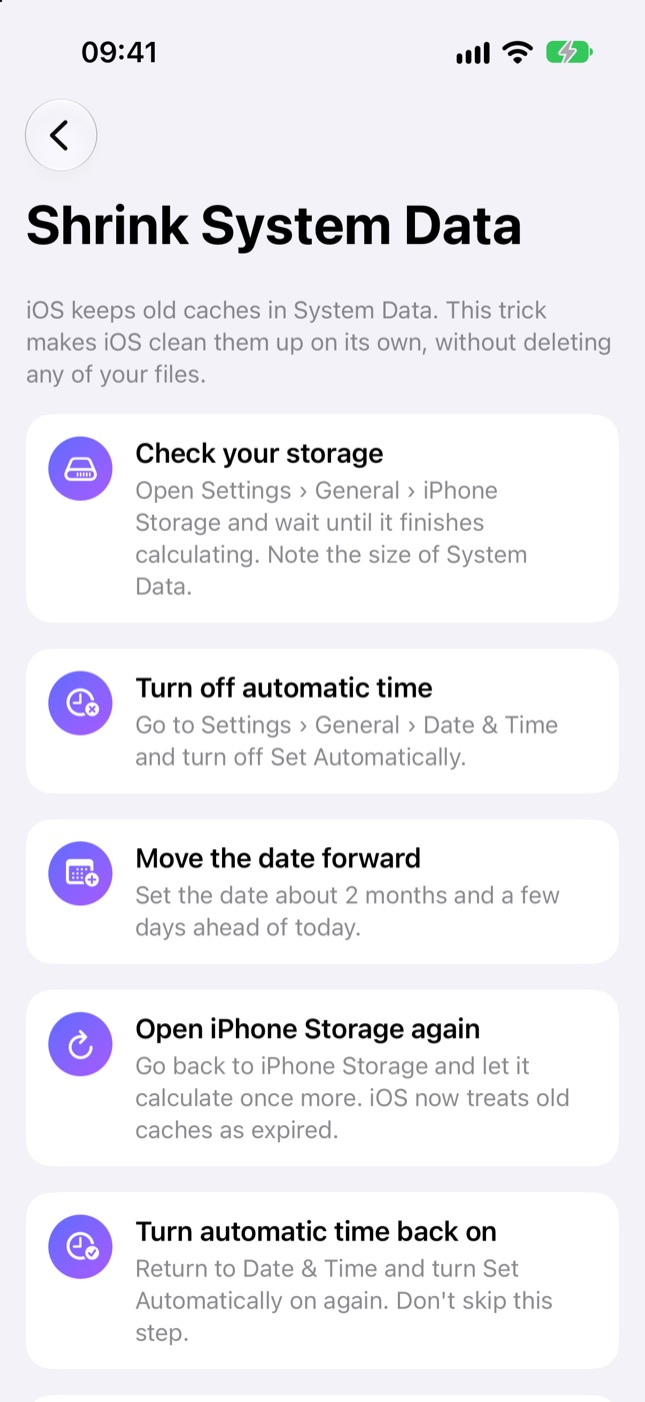
See first, then decide
Free
- Full scan and results
- First 15 deletions
- Swipe to clean
Pro
$9.99/year
- Unlimited deletions
- Full System Data guide
- All new features
3-day free trial. Competitors charge $7–10 a week.
Questions you might have
Are my photos uploaded anywhere?
No. The whole scan happens on your iPhone; Roomy has no server.
What if I delete something by mistake?
Deleted items stay in Photos › Recently Deleted for 30 days, and you can restore them from there.
Why does scanning take a while?
The first scan looks at every photo. Later scans only check new photos and take seconds.
What about photos in iCloud?
Roomy looks at photos stored on your phone; it doesn't download anything from iCloud.
How do I cancel my subscription?
On your iPhone: Settings › your name › Subscriptions › Roomy.

No more “Storage Full” alerts
Run your first scan and see how much space you'll get back.
Coming soon to the App Store