Just talk.
The text writes itself.
Lectures, meetings, interviews or a sudden idea: Inkvo transcribes as you speak, tells speakers apart and replays any moment with a single tap.
No internet needed · No account · Your voice never leaves your phone
Record, read, share
Takes a minute to learn.
Hit record
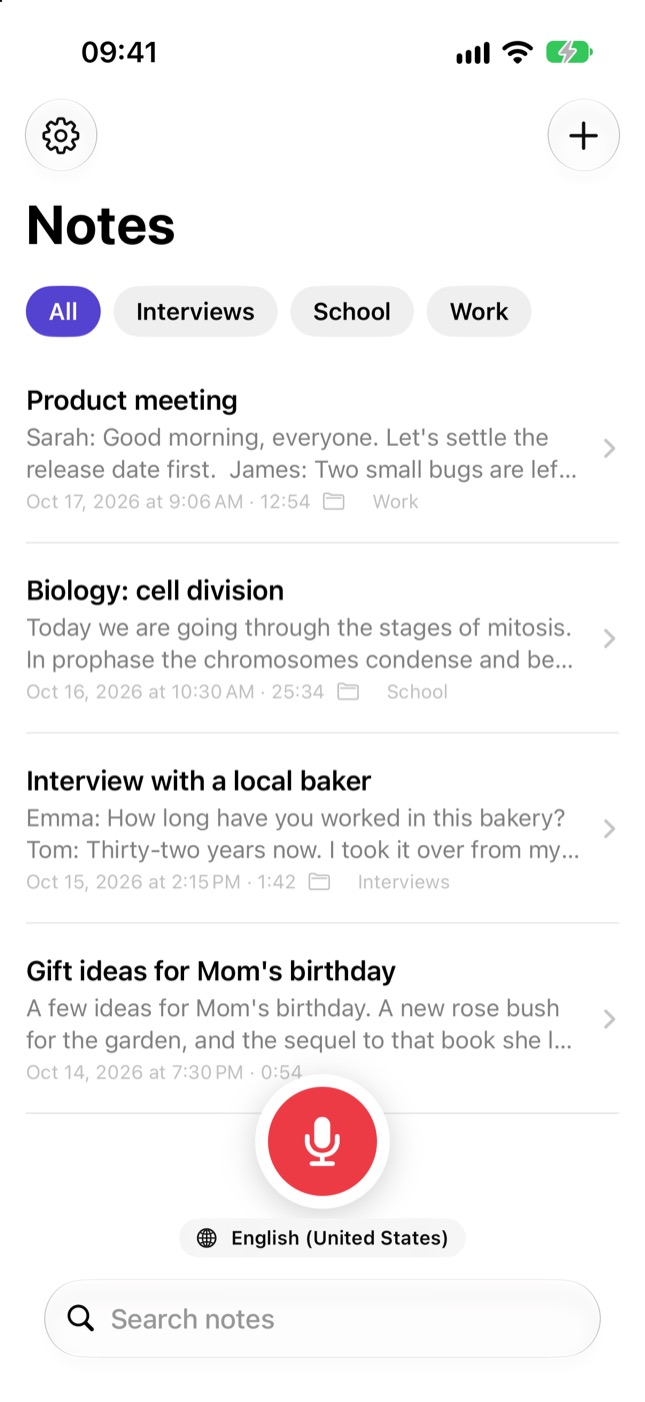
Start from the app, the Lock Screen, the Action button or just ask Siri. The text appears live.
Name the speakers
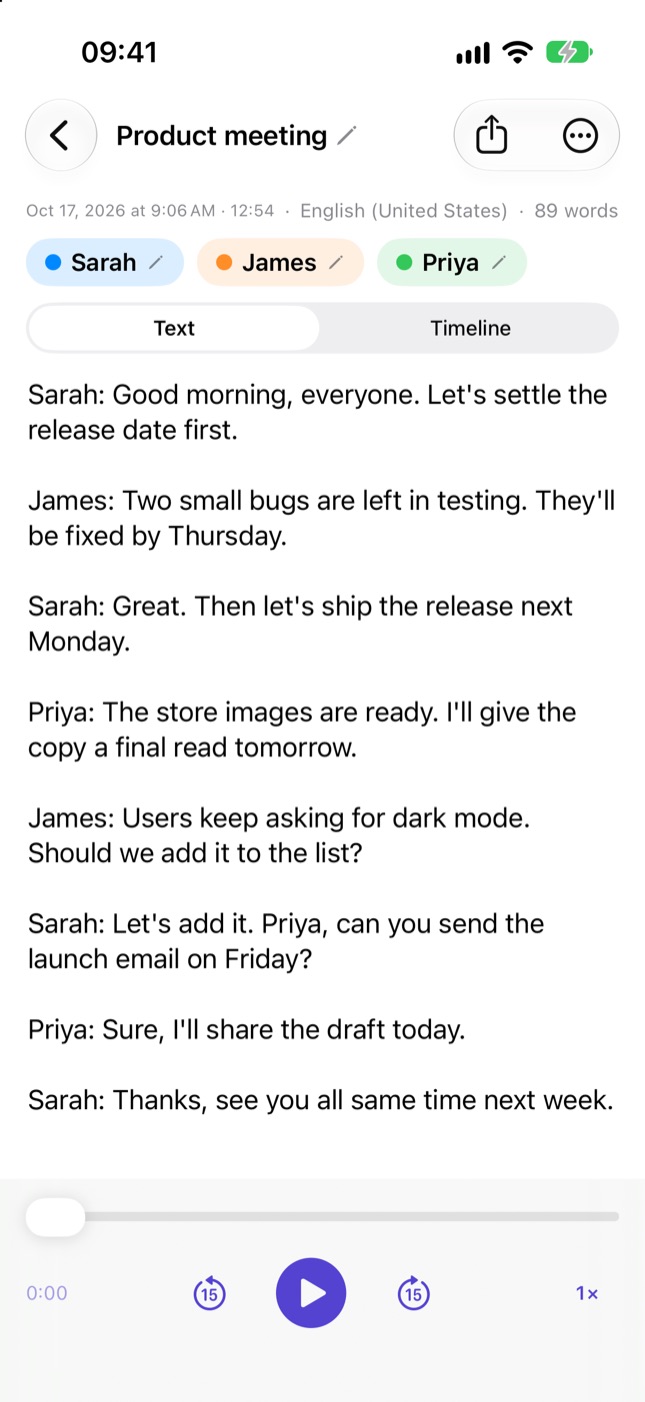
Inkvo separates voices: rename “Speaker 1” to “Sarah” and it recognizes Sarah in your next recordings.
Find and share
Search all your notes, tap a sentence to hear that moment. Share as text, PDF or subtitles.
What keyboard dictation can't do
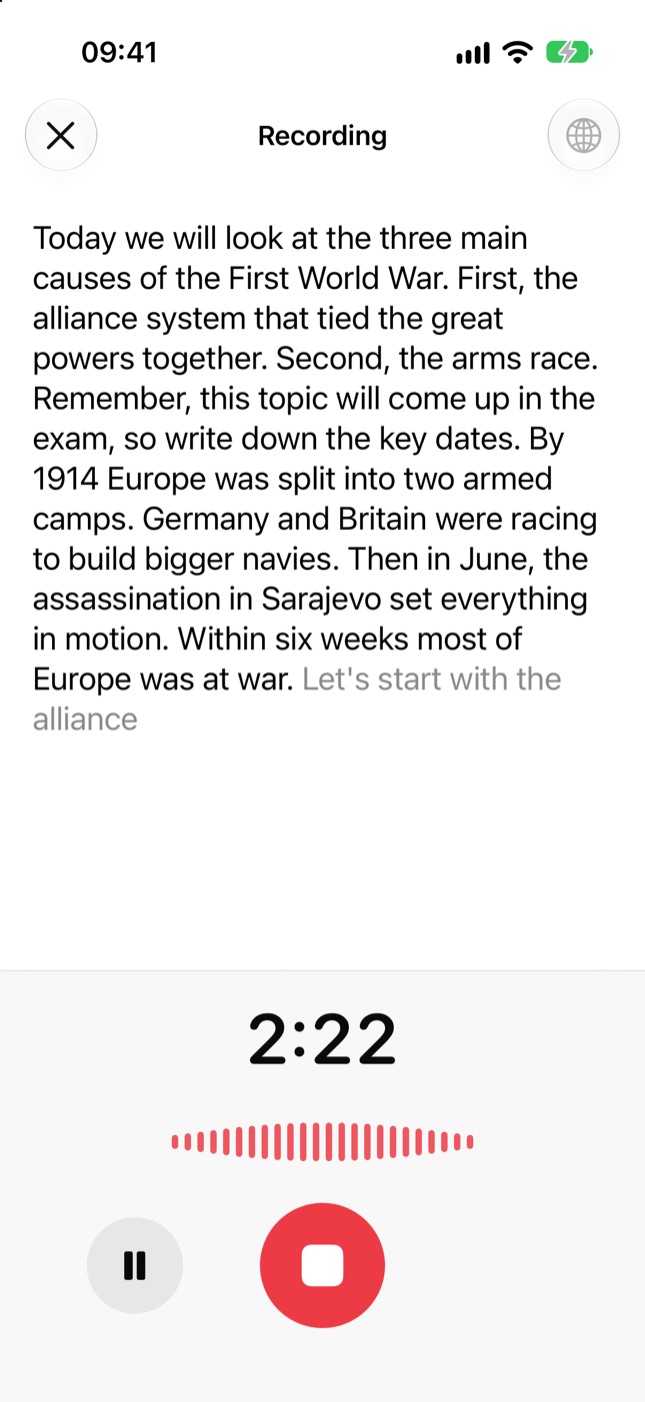
Live transcription
Words appear on screen as you speak. English and 50+ other languages.
Speaker detection
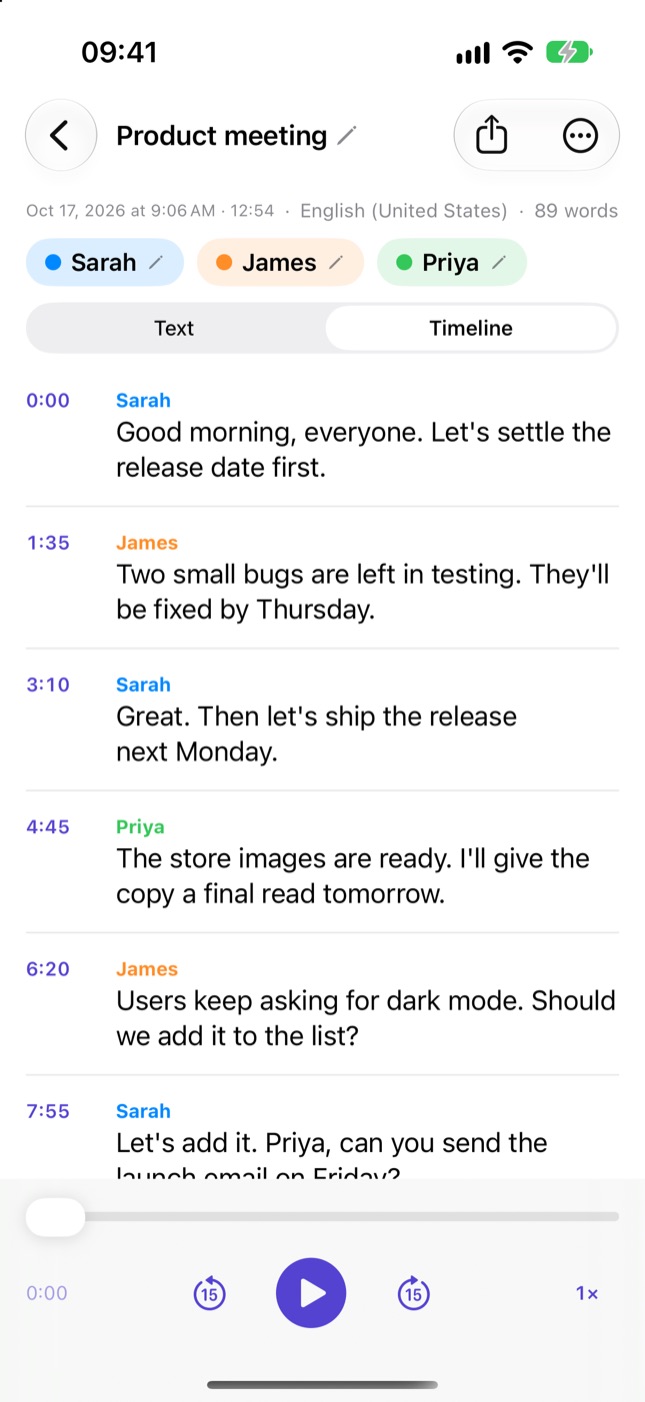
See who said what. Names you give are remembered next time.
Tap a sentence, hear the moment
Text and audio stay linked. Check anything misheard in seconds.
Never lose a recording
Even if your phone dies or the app crashes, unfinished recordings are recovered.
Works with existing files
Lecture recordings, voice messages or videos: import them and get the text.
Share your way
Plain text, PDF, timestamped text or subtitles (SRT).
Take a look
Honest pricing
Free
- 5 minutes per recording
- Speaker detection and search
- Share as text and PDF
Pro
$9.99/year
- Unlimited recording time
- Long audio and video files
- Share the audio file
3-day free trial. We'll remind you a day before it ends.
Questions you might have
Does my voice go to a server?
No. Transcription happens on your phone using Apple's on-device technology. Your recordings stay on your iPhone only.
Does it add punctuation?
In English, punctuation is added automatically. For some languages, Apple's on-device model doesn't add punctuation yet; you can edit the text however you like.
Does it work offline?
Yes. Once the language model is downloaded, it even works on a plane.
How long can I record?
Pro has no limit; hours-long lectures and meetings are no problem.
How do I cancel my subscription?
On your iPhone: Settings › your name › Subscriptions › Inkvo. “Manage Subscription” in the app takes you to the same place.
Your first note is one tap away
You talk, Inkvo writes.
Coming soon to the App Store